Using the Fleet Owner Field When Syncing Settlements
When syncing driver settlements, the Fleet Owner field may appear grayed out. This typically indicates that the required setup has not been completed. To enable the field and ensure the fleet owner is properly assigned, follow the steps below.
Steps to Resolve
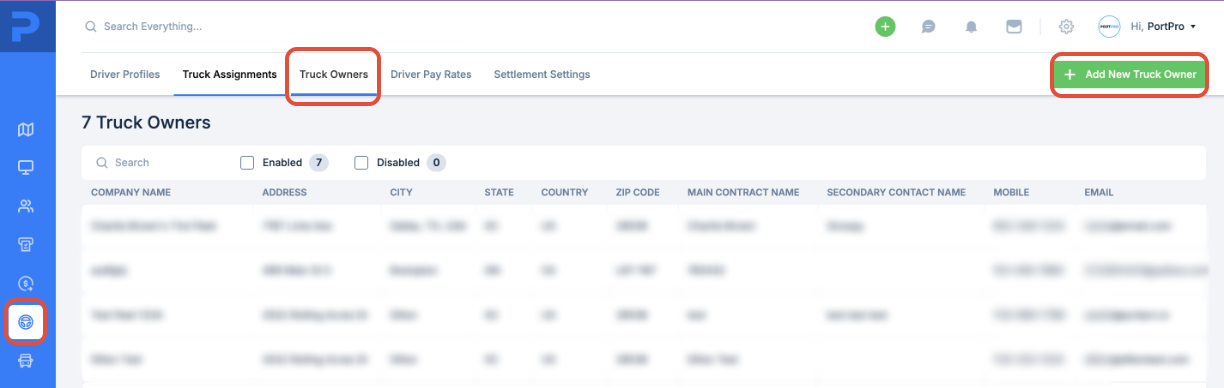
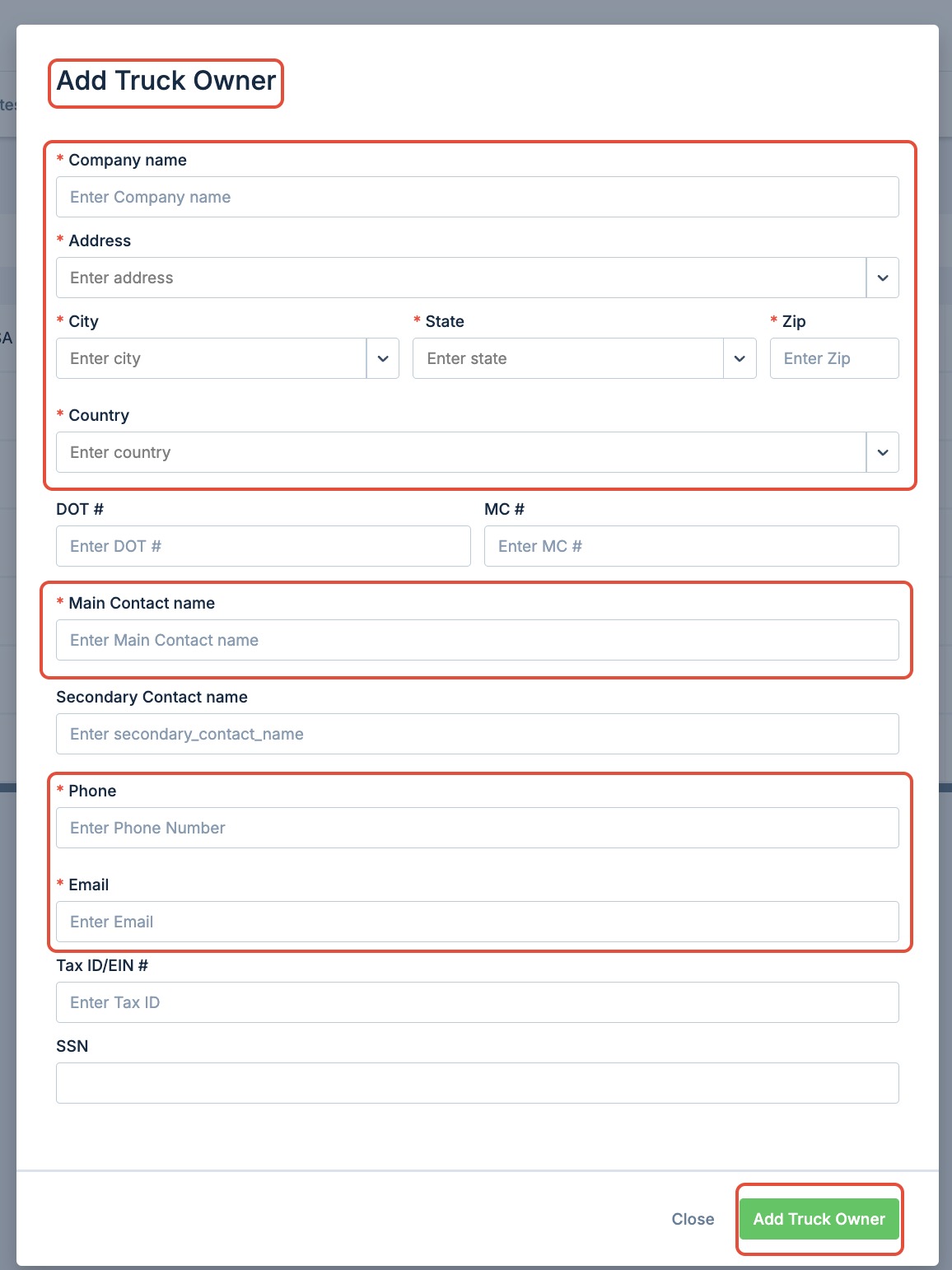
Ensure the Fleet Owner is Set Up in the System
Navigate to
Settings > Fleet Owners(or the applicable section in your system)Confirm that the fleet owner’s profile is fully completed and saved
Link the Driver to a Fleet Owner
Go to
Drivers > Driver ProfileEdit the driver’s profile and assign the appropriate fleet owner
Save the changes to update the association
Retry the Settlement Sync
After linking the driver to a fleet owner, return to the settlement screen
The Fleet Owner field should now be enabled and selectable
Set Up Trucks and Assign Fleet Owners
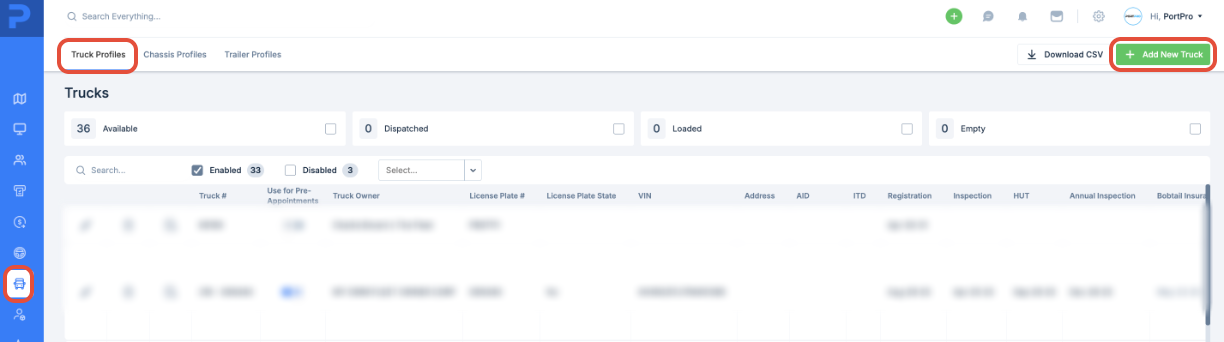
Once the fleet owner is properly configured in the system, the next step is to set up trucks and assign them accordingly.
Navigate to the Trucks section of the system
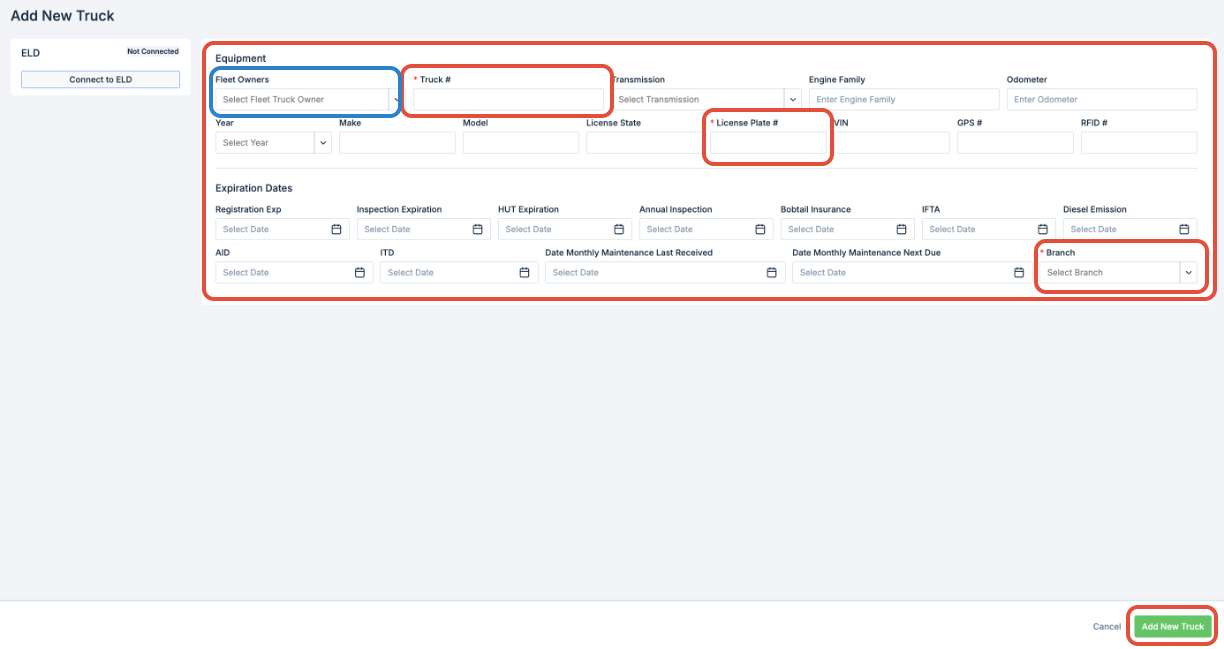
Add or edit truck profiles as needed
During setup, select the appropriate Fleet Owner from the dropdown or assignment field
Save the truck profile to apply the association
This setup ensures the system can accurately link loads and settlements to the correct fleet owner.
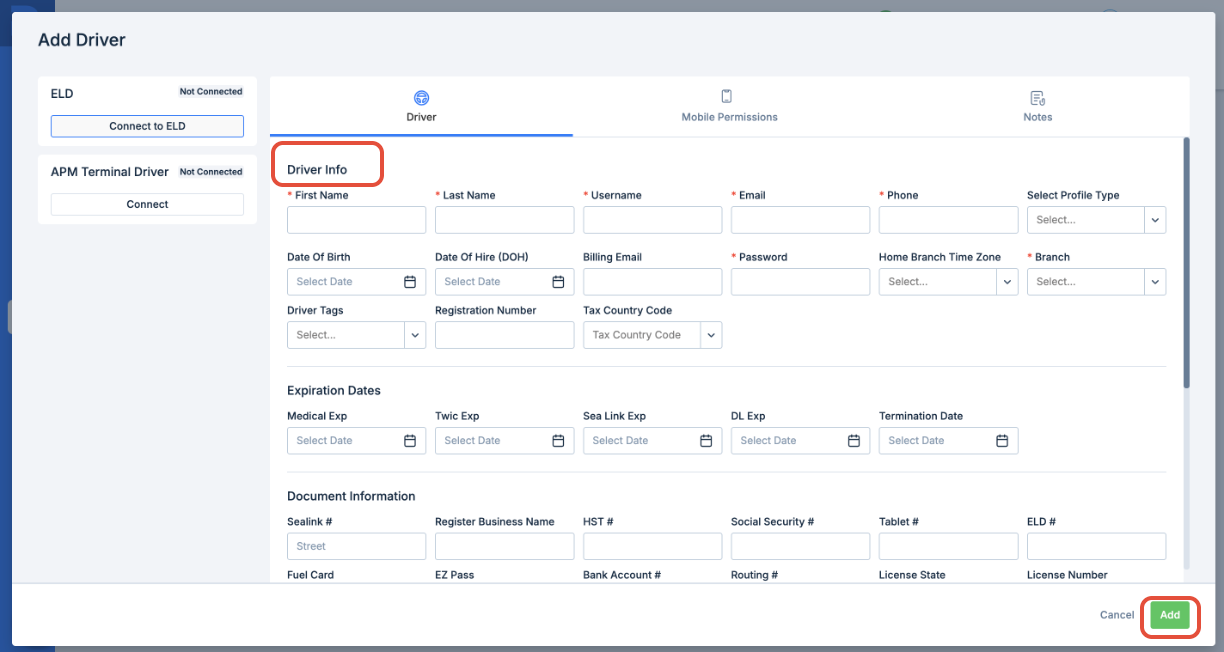
Set Up Drivers and Assign to Trucks
After configuring trucks and assigning fleet owners, the next step is to set up drivers and link them to the appropriate vehicles.
Navigate to the Drivers section of the system
Create or edit driver profiles, ensuring all required information is completed
Assign each driver to the appropriate truck
Save the profile to finalize the assignment
This ensures that driver activity, load assignments, and settlements are accurately tracked within the system.
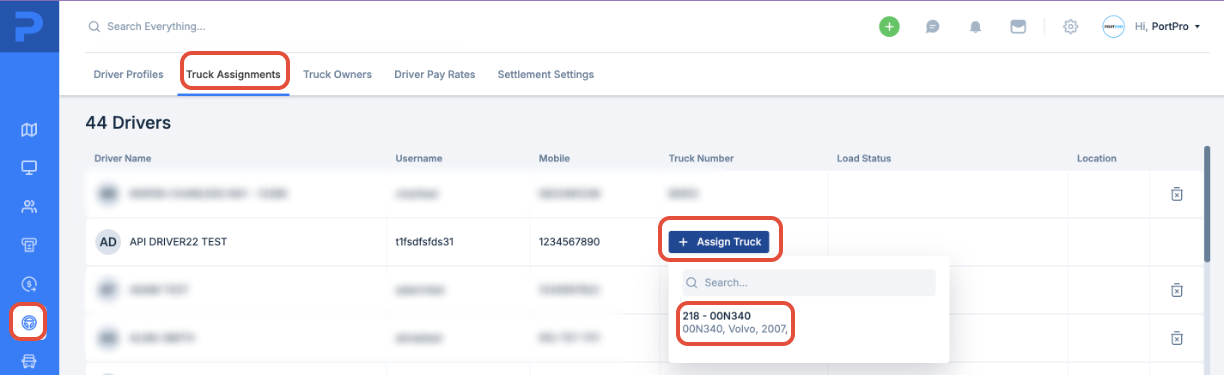
Assign Drivers to Trucks
Make sure each driver is properly assigned to a truck to maintain accurate system records.
Go to the Drivers section in the system
Edit the relevant driver profile
Assign the driver to the correct truck
Save the changes to update the assignment
This association ensures the correct fleet owner appears in the driver profile and is reflected during settlement processing.
Was this article helpful?
That’s Great!
Thank you for your feedback
Sorry! We couldn't be helpful
Thank you for your feedback
Feedback sent
We appreciate your effort and will try to fix the article