The overweight flag will not be set automatically if the weight was entered before the container size and type were assigned.
The system needs to know the container size and type first so it can compare the weight to the correct limits setup in Settings -> Equipment -> Parameters.
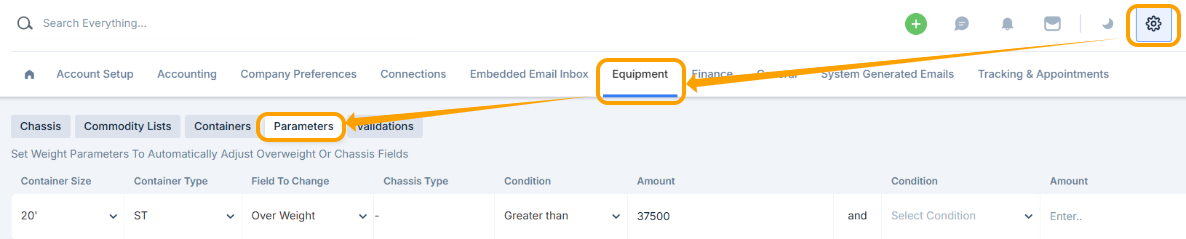
When the weight was added, that information wasn’t available yet, so the system couldn’t determine whether the load was overweight.
To make sure the overweight flag sets correctly, always select the container size and type first, then enter the commodity weight.
Was this article helpful?
That’s Great!
Thank you for your feedback
Sorry! We couldn't be helpful
Thank you for your feedback
Feedback sent
We appreciate your effort and will try to fix the article