The New A/R Payments feature enhances the ability to manage payments efficiently. This includes creating, applying, and processing payments either individually or in bulk.
Manual Payment Entry Workflow
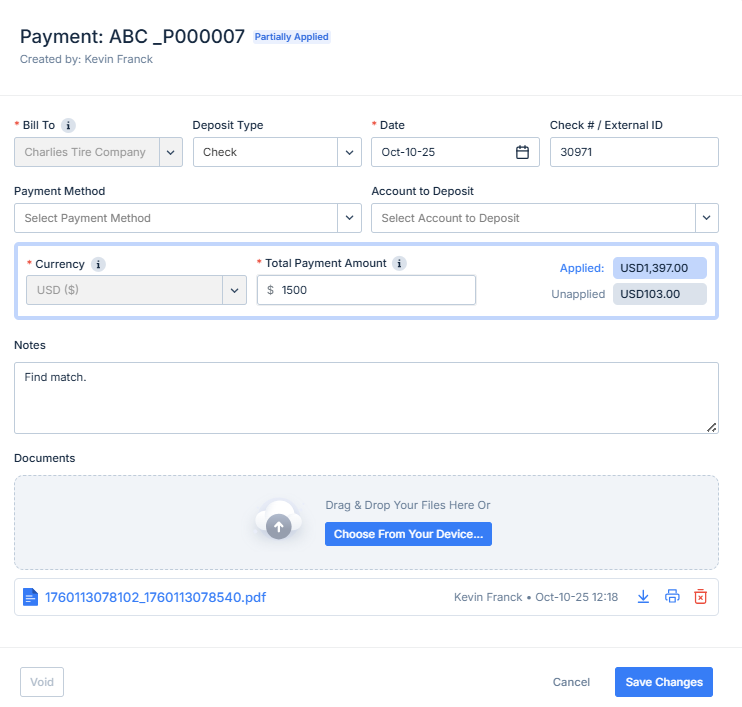
To enter a manual payment, follow these steps:
Select the customer. Ensure customer details are accurate to prevent any mismatches.
Choose the currency in which the payment is made. Confirm the currency aligns with customer preferences.
Enter the payment amount carefully. Double-check before proceeding to prevent entry errors.
Add notes for any additional details or special instructions related to the payment.
Include necessary attachments, such as supporting documents or receipts, for record-keeping.
Application of Payments
Payments can be applied to invoices individually or in bulk through the “Apply Payments and Credits” view. The process is as follows:
The system first matches payments by customer and currency to ensure compatibility.
Eligible invoices are then displayed, allowing for precise application.
Select multiple invoices if necessary. Bulk application can save time and effort.
Allocate payment amounts across selected invoices accurately.
Confirm the payment allocation to finalize the process.
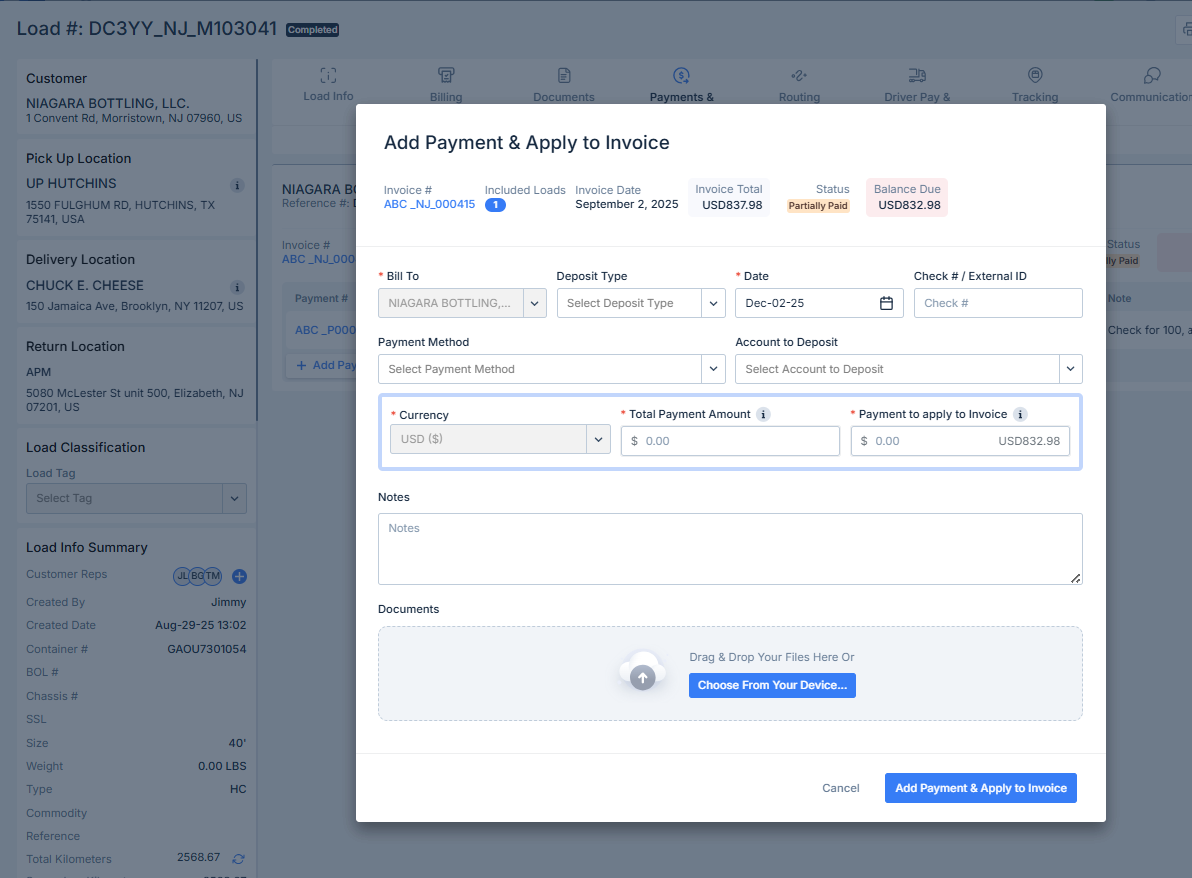
Direct Payment Entry and Application from Load Record
Payments can also be entered and applied directly from a load record. This feature streamlines the process, allowing for quicker handling and application. Integrating this feature into the workflow provides a seamless transition from recording to application, enhancing efficiency.
Was this article helpful?
That’s Great!
Thank you for your feedback
Sorry! We couldn't be helpful
Thank you for your feedback
Feedback sent
We appreciate your effort and will try to fix the article